
SailFlow: Marine Forecasts
WeatherFlowWeather
4.8263.00 Reviews
- Version
- 5.0
- Installs
- 100.00K
- Age Rating
- Everyone
Screenshots
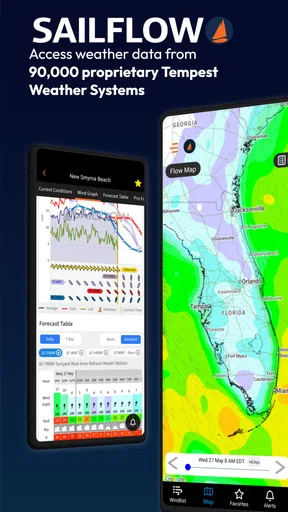
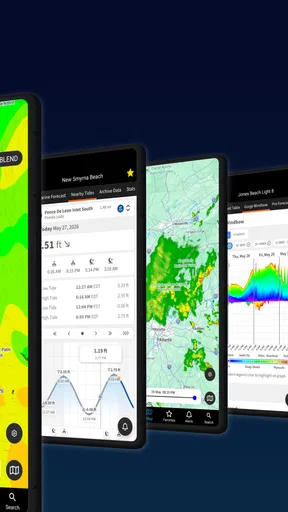
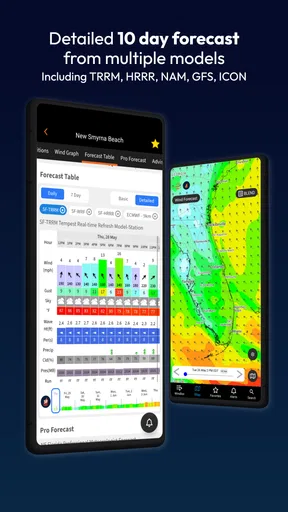
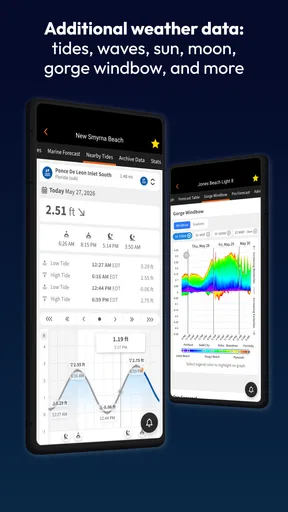
Our Review of SailFlow: Marine Forecasts
 Analysis by Appyee
I think marine forecasting makes the most sense when it helps answer a practical question: should I go, where should I look, and what might change while I’m out? That is the lens I use for SailFlow: Marine Forecasts. WeatherFlow’s app is aimed at people who spend time on the water, with wind, tide, wave, map, alert, and forecast information brought together for sailing and boating. Its focus is more specific than a general weather app, which is a real advantage when wind and water conditions matter more than a city’s hourly temperature.
What the current app is built to do
SailFlow is a free weather app, though it also offers in-app purchases. It is rated for Everyone, and its Android listing shows a 4.8 average from around two thousand ratings, with more than one hundred thousand installs. The current Android version is 5.0, and the app has been available since November 2012. Those figures suggest an established product with an active audience, but they don’t tell me whether a particular forecast will suit a specific inlet or outing; I still treat the app as a planning aid rather than a guarantee.
The marine emphasis changes how I use it. With an ordinary weather app, I might check whether rain is likely and stop there. For a sail, I want to think about wind direction and strength, gusts, waves, and tides together. A forecast can look acceptable at a glance yet feel very different on the water if the wind is awkward for the route or conditions shift during the return. Putting those marine concerns at the center makes SailFlow more relevant to boaters than a general forecast screen.
Using forecasts as part of a real outing
Imagine I’m considering a short weekend sail. Before choosing a departure time, I would check the forecast for the launch area and the water I plan to cross, then look at how wind and waves might affect the route rather than judging conditions from the marina alone. I’d also think ahead to the return leg: a comfortable outbound trip is not much help if the expected conditions make getting back less pleasant. That kind of comparison is where marine-specific information can change a decision, not just decorate it.
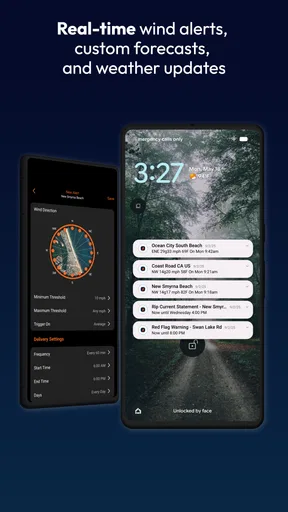
My practical tip is to check more than once. I’d use a forecast while making the initial plan, then revisit it closer to leaving and keep alerts on for the places that matter to the trip. That gives me a chance to notice a change without assuming an earlier glance remains current. Alerts are most useful when they support a clear decision—such as delaying a departure or reconsidering a route—not when every notification becomes a reason to check the phone constantly.
Location choice also deserves a little care. A forecast point near a harbor may not represent exposed water or a destination farther along the coast. I would compare the locations relevant to the journey instead of relying on one convenient spot, especially when the route crosses areas with different exposure. That is a small workflow adjustment, but it can make a map or forecast more useful than simply opening the nearest result and treating it as universal.
Where it differs from everyday weather apps
For someone who only wants to know whether to carry an umbrella, a conventional weather app is likely simpler. Those apps are designed around everyday forecasts, while SailFlow is aimed at decisions involving boating conditions. I would not replace a general forecast app with it for every household weather question, nor would I expect a marine tool to remove the need for local judgement. Its value is that it gives a boater a more appropriate set of things to examine before heading out.
Compared with checking a handful of separate sources, having wind, tides, waves, maps, and alerts in one marine-focused app can make planning less fragmented. That convenience is not the same as independent confirmation, though. If a trip is consequential, I would cross-check conditions with another reliable source and follow local marine guidance. A phone forecast should inform a decision, not be the sole basis for taking a boat into uncertain conditions.
First Impressions
When I first downloaded SailFlow: Marine Forecasts, I was immediately taken by its clean and user-friendly interface. The home screen is intuitive, with quick access to the essential features. Whether you're a seasoned sailor or a weekend enthusiast, you'll appreciate how easy it is to navigate the app. The design is sleek and functional, which is exactly what you need when you're out on the water.
Features That Stand Out
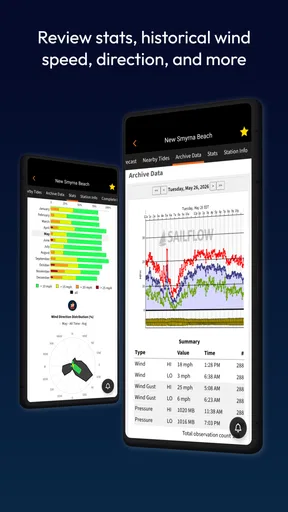
One of the app's standout features is its real-time wind data. You can access detailed wind forecasts for thousands of locations worldwide. This is a game-changer if you're planning a trip and need to know what to expect. The app provides wind speed, direction, and gusts, all updated frequently to give you the most accurate information available.
Another handy feature is the customizable alerts. You can set up notifications for specific locations and conditions, ensuring you're always informed about changes in weather patterns. This is particularly useful if you're on a tight schedule and need to adapt your plans on the fly.
Digging Deeper
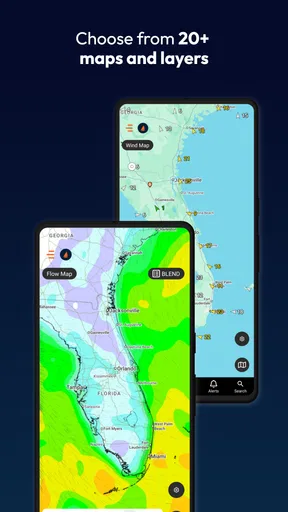
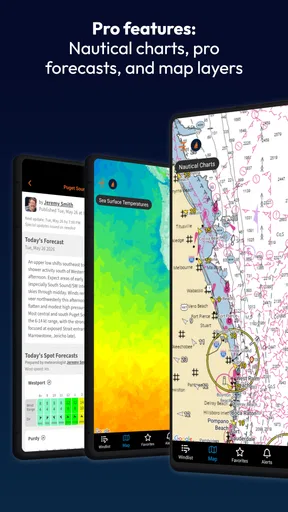
For those who love data, the app offers detailed weather maps and charts. You can switch between different layers to get a comprehensive view of weather patterns, including radar images and temperature fluctuations. It's like having a personal meteorologist in your pocket.
The app also includes a social feature where sailors can share conditions and insights. This community aspect is great not just for getting real-time reports from fellow sailors, but also for connecting with others who share your passion.
Reading maps and reports with care
The maps are most helpful when I use them to spot broad patterns, then return to the forecast details for the exact places I’m considering. A visual layer can make a developing weather picture easier to scan, but it is not a substitute for understanding what conditions mean for my boat, route, and experience. If a chart looks reassuring while the written forecast or a local report raises concern, I would pause and investigate rather than letting the map settle the question by itself.
Community reports can add a useful local perspective, particularly when another sailor describes what they are seeing nearby. I treat those posts as observations, not official forecasts: conditions can vary by location, time, and the person’s vantage point. A recent report may help me decide what to check next, but I would not assume one person’s experience applies across an entire bay or coastline.
Usability and Performance
In terms of performance, SailFlow: Marine Forecasts runs smoothly even on older devices. I didn't experience any lag or crashes, which is crucial when you're relying on the app for important weather updates. The loading times are quick, and the data refreshes without any hiccups.
The app is available for both Android and iOS, making it accessible to a wide range of users. The developers have done a fantastic job of ensuring consistency across platforms, so you won't miss out on any features regardless of your device.
Who will get the most from it
I’d recommend SailFlow to sailors and boaters who regularly plan around wind, tides, and waves, and who want those details close at hand rather than buried in a broad consumer forecast. It can also suit a casual weekend user who is willing to compare locations and revisit conditions before setting off. People new to boating may find the marine focus helpful, but they should still learn how to interpret forecasts and seek advice from experienced local boaters when unsure.
It is less suitable if you want only a basic rain forecast, if you rarely go near the water, or if you expect an app to make the safety decision for you. Anyone who dislikes checking several locations or interpreting maps may prefer a simpler weather app for everyday use. And if a trip depends on precise local conditions, I would use SailFlow alongside—not instead of—official notices and other trusted sources.
Cost, version, and the trade-offs to consider
The app is free to download, with in-app purchases listed from $5.49 to $179.99 per item. I’d explore the free experience first and decide whether I actually need any paid option before spending money. The range is broad enough that I would check the specific purchase details in the app rather than assume every boater needs an upgrade. A casual user may be content with basic planning, while someone who relies on marine forecasts often may want to evaluate available extras against their own routine.
Version 5.0 is the current Android release, while the app’s long history dates back to its November 21, 2012 release. That establishes a product with years of presence, but a version number alone does not explain what changed between releases. For existing users, the sensible approach is to judge the current app by whether its maps, forecast views, and alerts fit the way they plan now, rather than assuming age or a new version automatically means a better experience. I would also keep the app updated through the relevant store and recheck alert settings after a major change, since notification habits are easy to overlook.
Remaining gaps in the decision process
Even a well-organized marine forecast has limits: weather changes, local geography complicates predictions, and a forecast point cannot describe every patch of water along a route. I would not treat frequent updates as a promise that every reading is exact at the moment I need it. The app can help me identify questions—whether the wind is building, whether waves may make a crossing uncomfortable, or whether a timing change is worth considering—but the answers still need to be weighed against my boat, crew, and skill.
Before leaving, I’d make sure the relevant locations are selected, review the latest forecast, and decide what conditions would make me postpone or alter the plan. I would avoid waiting until I am already underway to discover that an alert was set for the wrong place or that I had only checked the launch point. This simple pre-departure habit is more useful than collecting screens without deciding what I would do if the forecast worsened.
Final Thoughts
All in all, SailFlow: Marine Forecasts is a must-have for anyone serious about sailing. Its combination of real-time data, customizable alerts, and user-friendly design makes it a standout choice in the world of marine weather apps. Whether you're planning a leisurely sail or preparing for a competitive race, this app has got you covered.
So, if you're ready to set sail with confidence, give SailFlow a try. You can download it from the respective app stores and start exploring its features today. Trust me, once you do, you'll wonder how you ever managed without it!
What I would watch as I keep using it
For me, the useful test is not whether an app has a long feature list, but whether I can quickly find the conditions that matter and turn them into a sensible plan. I would pay attention to how clearly the forecast presents the locations I use, whether alerts remain relevant rather than noisy, and whether map layers help me understand a route at a glance. Those are practical measures of value for a boater, and they matter more than an impressive-looking screen.
My overall recommendation is positive, with a clear boundary: SailFlow is strongest as a marine planning companion for people who want wind and water context, not as a substitute for seamanship or official safety information. If that matches your needs, the free starting point makes it reasonable to try before considering purchases. If your weather checks rarely involve a boat, you’ll probably be better served by a simpler everyday forecast app.
Verdict
Strengths of SailFlow: Marine Forecasts
- Accurate wind forecasts for sailors.
- User-friendly interface for quick navigation.
- Customizable alerts for weather changes.
- Detailed map views with real-time data.
- Offline access to saved forecasts.
Limitations of SailFlow: Marine Forecasts
- Limited free features without subscription.
- Occasional lag in data updates.
- Requires GPS for precise location tracking.
- Ads can be intrusive in the free version.
- Some features need stable internet.
Other Releases by WeatherFlow
View All
Tempest Weather
Weather4.3

WindAlert: Wind & Weather Map
Weather4.7

FishWeather: Marine Forecasts
Weather4.8

iKitesurf: Weather & Waves
Weather4.8
Similar Picks in This Category
View All
Weather - By Xiaomi
Xiaomi Inc.4.1

Weather & Radar Forecast
WetterOnline4.8

Weather
OneLouder Apps4.6

AccuWeather: Weather Radar
AccuWeather3.6

The Weather Channel - Radar
The Weather Channel4.6

1Weather Forecasts & Radar
OneLouder Apps4.3
Frequently Asked Questions
What features does SailFlow: Marine Forecasts offer for sailors?
SailFlow provides detailed marine weather forecasts, including wind speed, direction, and wave height. It offers real-time data from over 50,000 weather stations, customizable alerts, and high-resolution weather maps. The app also features a community aspect where users can share tips and insights, making it a comprehensive tool for sailors.
Is SailFlow: Marine Forecasts suitable for beginners?
Yes, SailFlow is designed to be user-friendly for both beginners and experienced sailors. The interface is intuitive, with easy navigation and clear graphical representations of weather data. Tutorials and help sections are available within the app, providing guidance for those new to using marine forecasts.
How accurate are the weather forecasts in SailFlow?
SailFlow uses data from multiple reliable sources, including NOAA and other meteorological services, to provide accurate forecasts. The app updates frequently to deliver the most current weather information. While no forecast can be 100% accurate, users generally find SailFlow’s predictions reliable for planning their sailing activities.
Does SailFlow require an internet connection to function?
SailFlow primarily relies on an internet connection to provide real-time weather updates and interactive maps. However, users can download certain data for offline use, which is beneficial for areas with limited connectivity. This feature ensures that you can still access crucial weather information when out at sea.
Are there any costs associated with using SailFlow?
SailFlow offers a free version with basic features. However, for advanced features like detailed forecasts, customizable alerts, and ad-free experience, users can subscribe to a premium plan. Prices for the premium subscription may vary, and it's recommended to check the app store for the latest pricing details.
